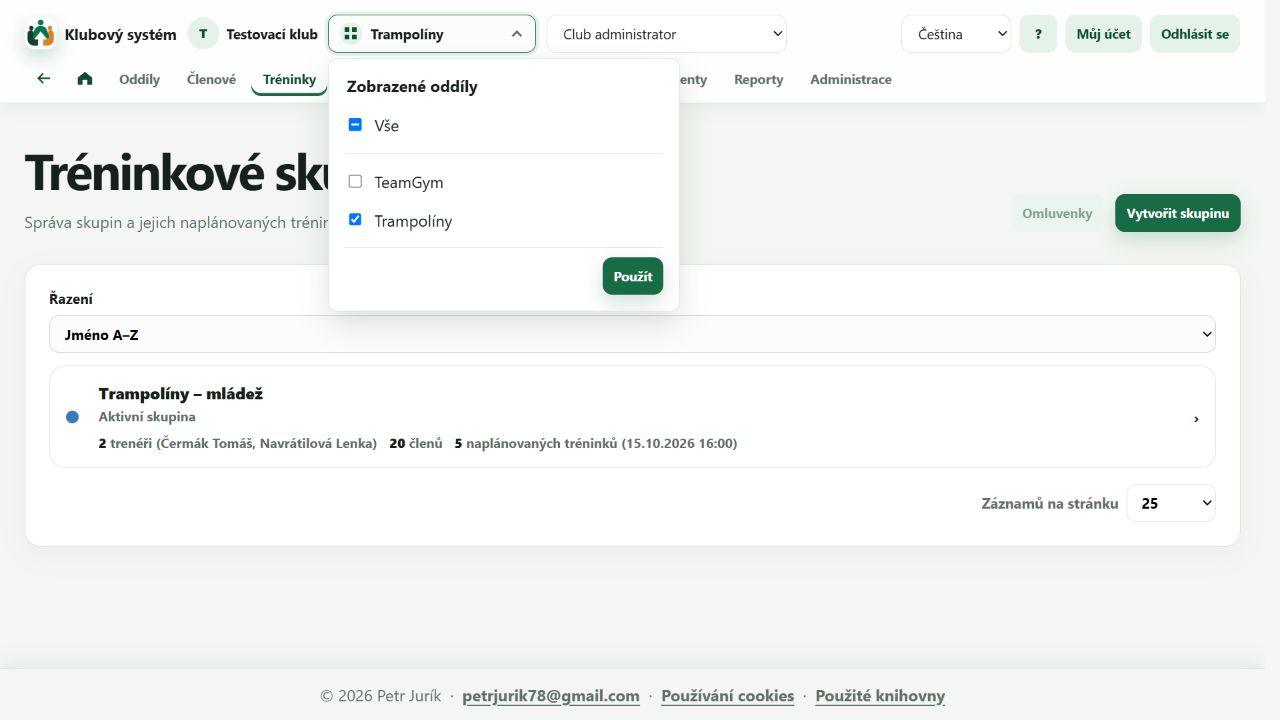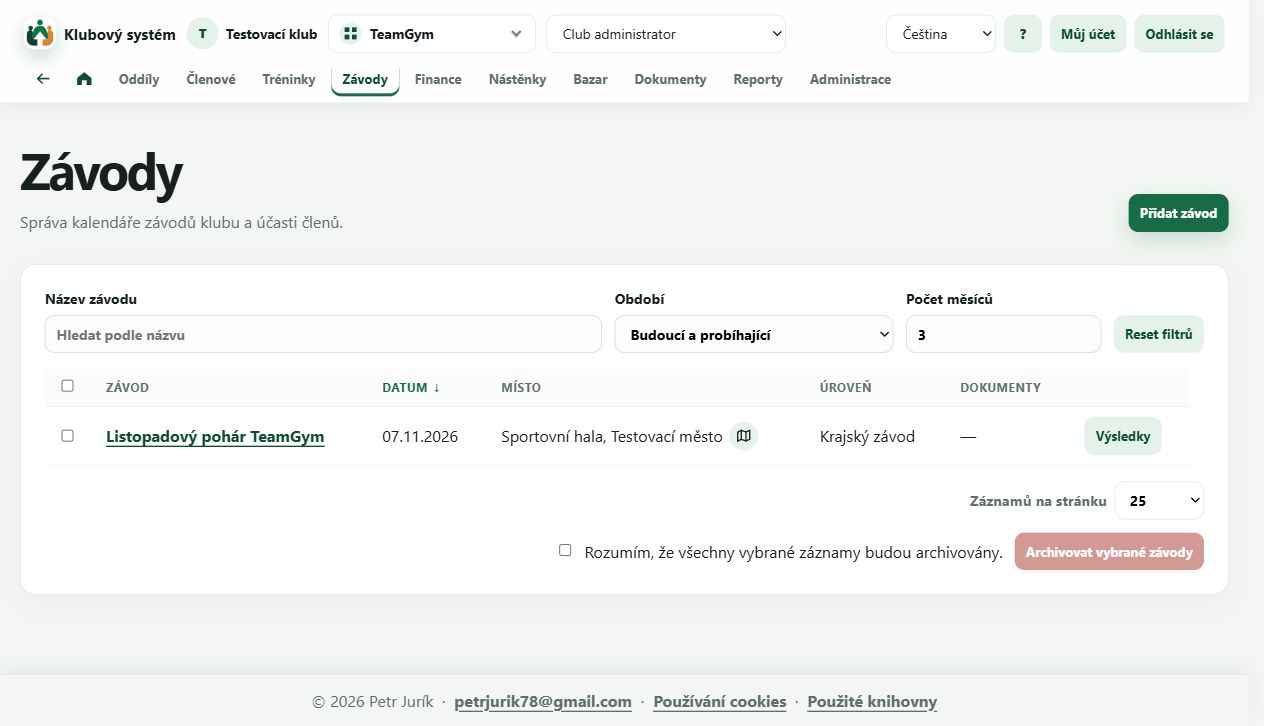
Inside our system
See how it works in practice.
These screenshots come from a demo club with 60 members. Take a look at member records, training, payments and parent access.
The screenshots use made-up data and show the Czech interface. Click an image to open it, then select Actual size to read small text.
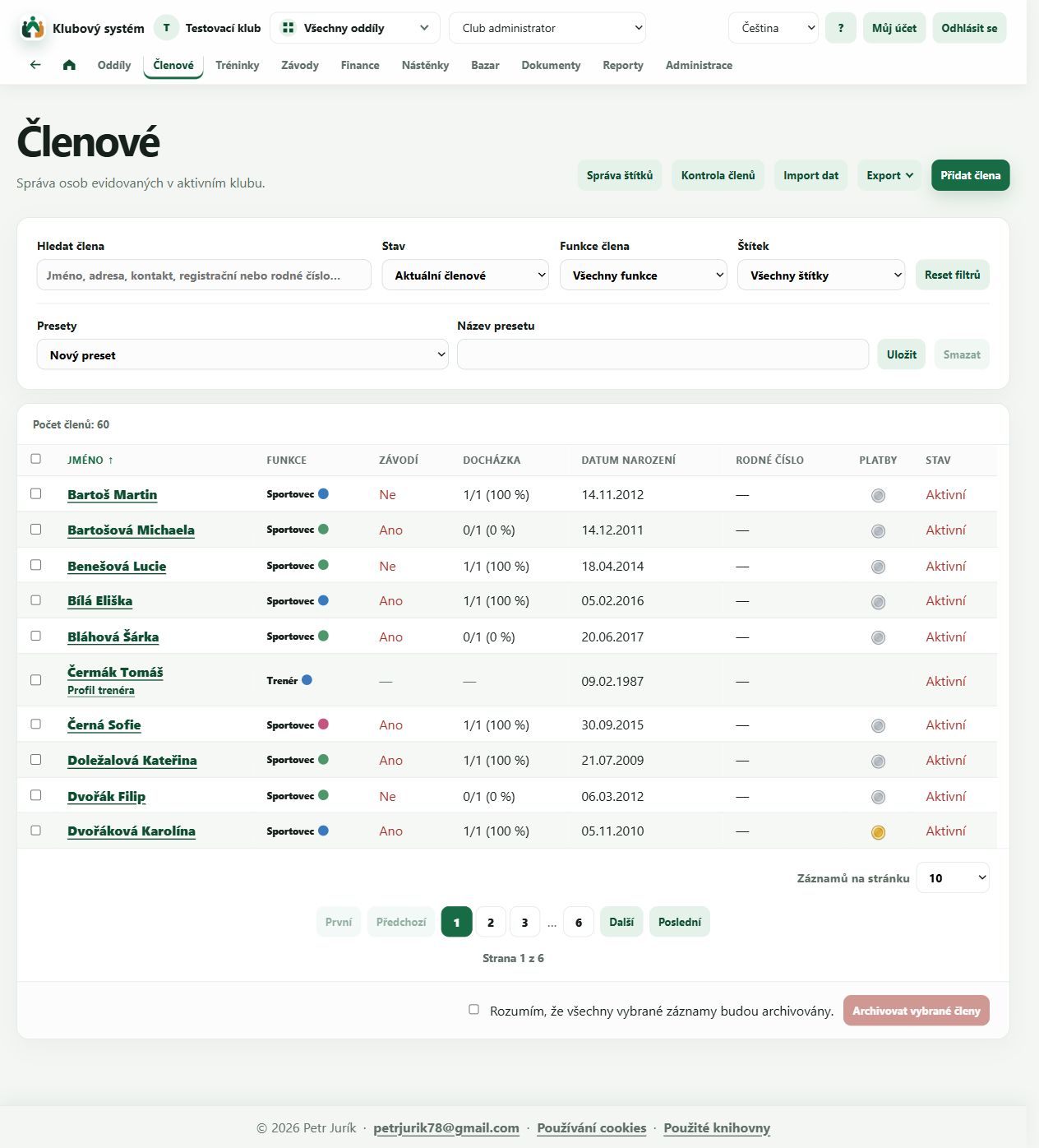
Members and coaches
Search, tags, imports and payment and attendance overviews.
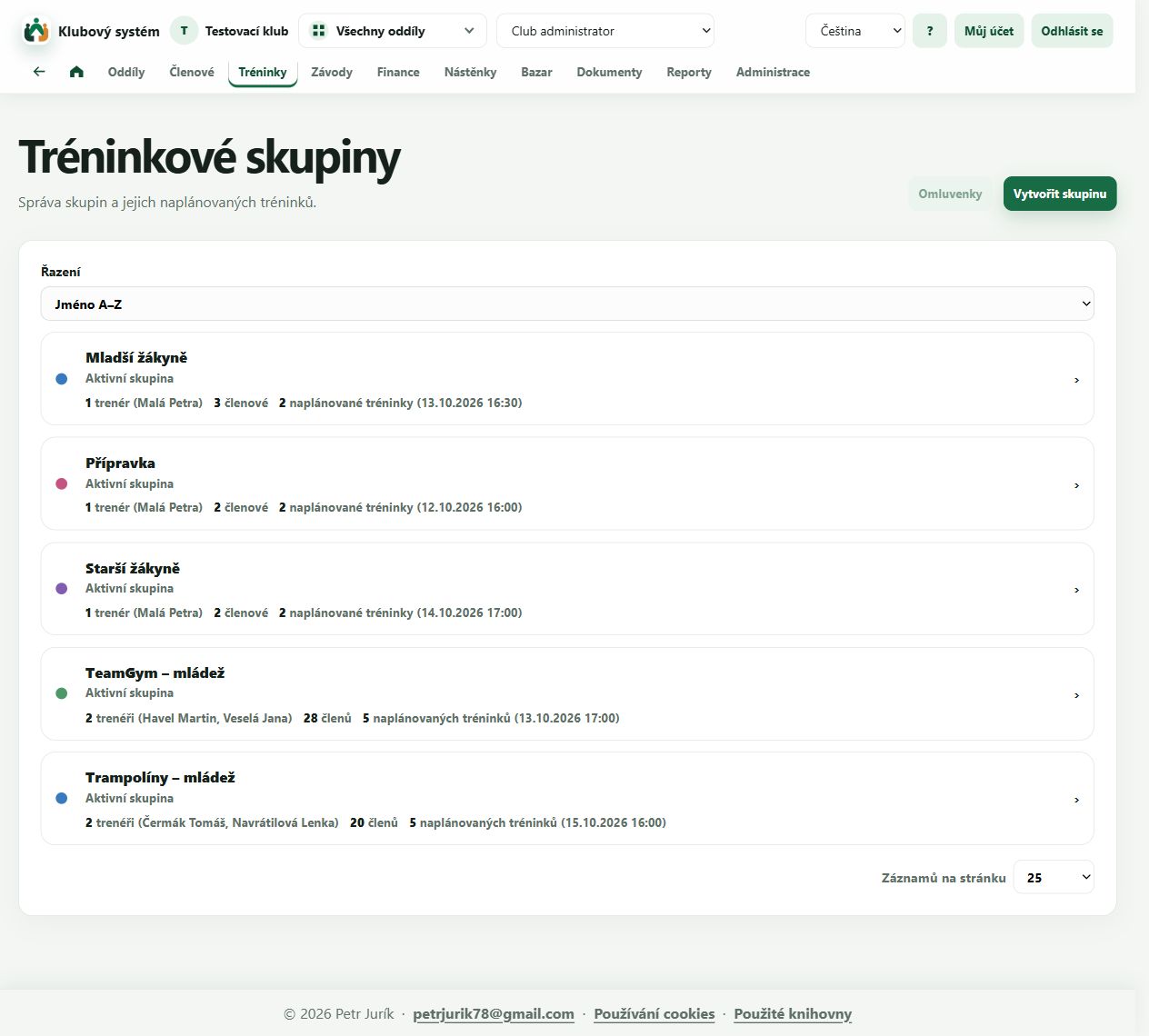
Training groups
Athletes, coaches and planned sessions across the club.
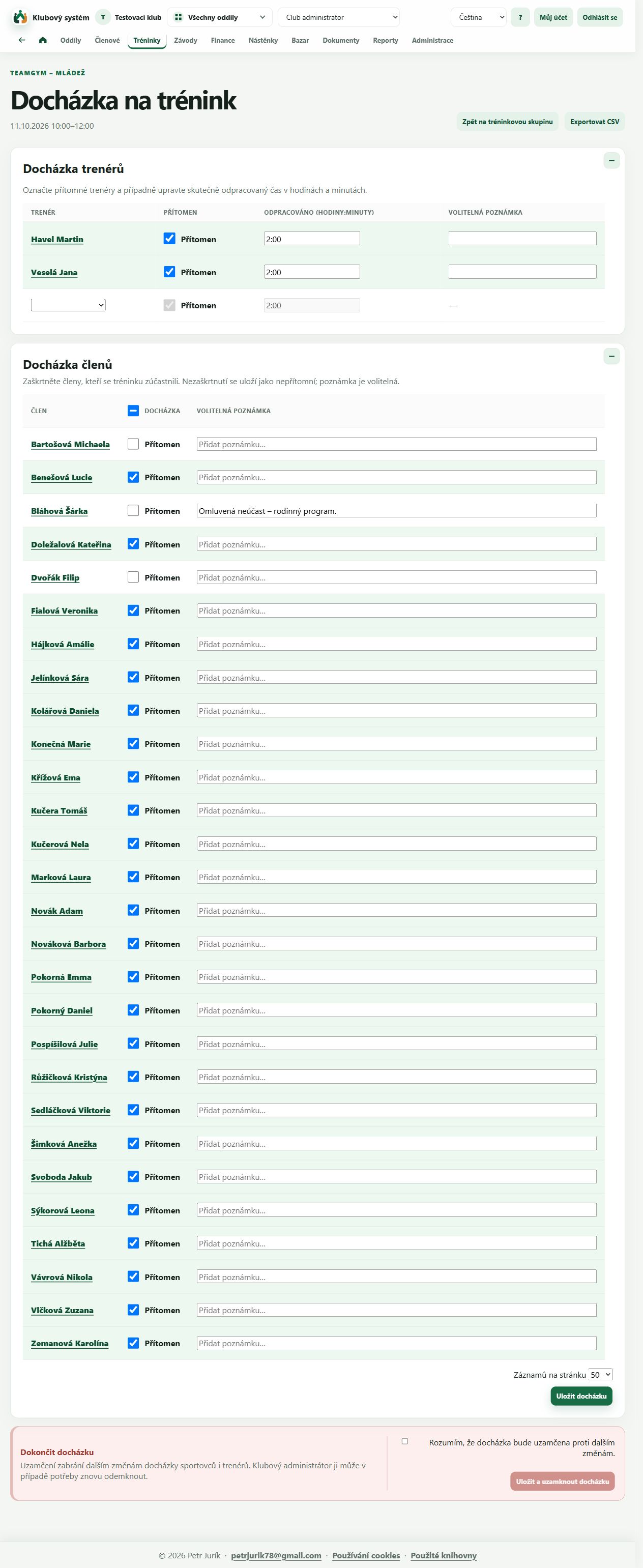
Training attendance
Athlete attendance, absence notes and coaches’ working hours.
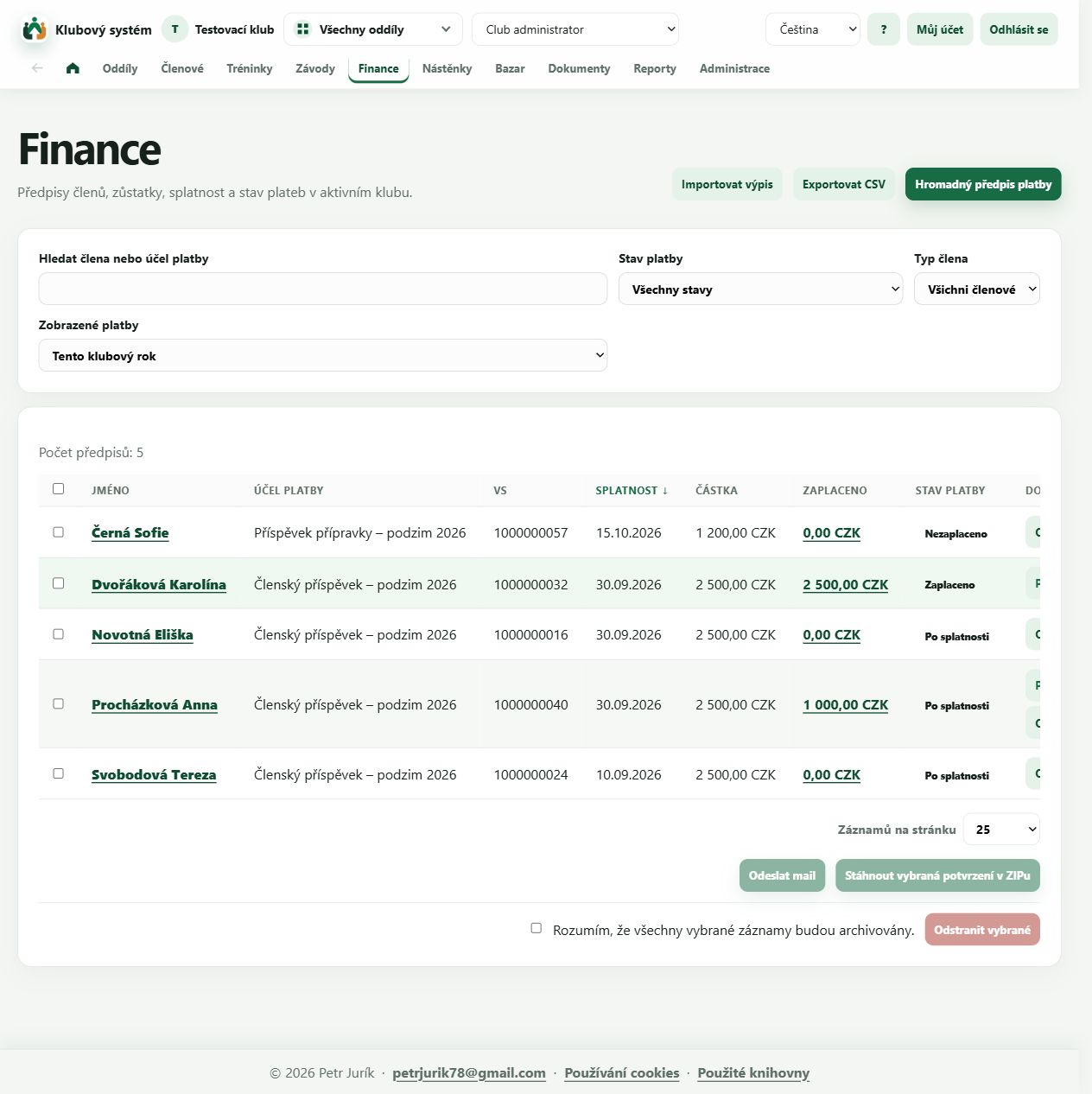
Fees and payments
Charges, due dates, partial payments and paid fees.
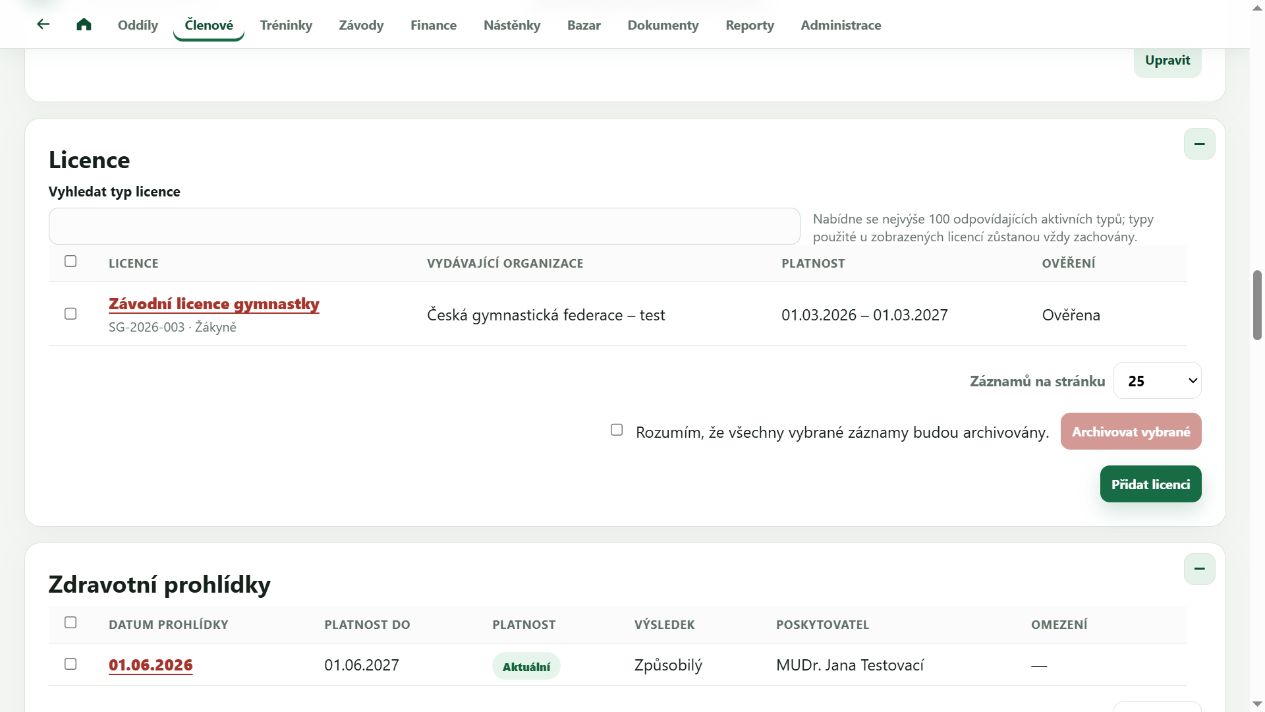
Licences and medical checks
Validity, verification and fitness records linked to each member.
Two divisions. One club.
Select TeamGym, Trampolining or the whole club. The groups and competitions shown follow your selection, while members share one register.